Skip to content

Project controls software

Estimating, scheduling and cost control for projects, in one place.

From the bid to the forecast, with an assistant that drafts the routine work and a person who approves every change.

Your free workspace comes with a sample project to explore.

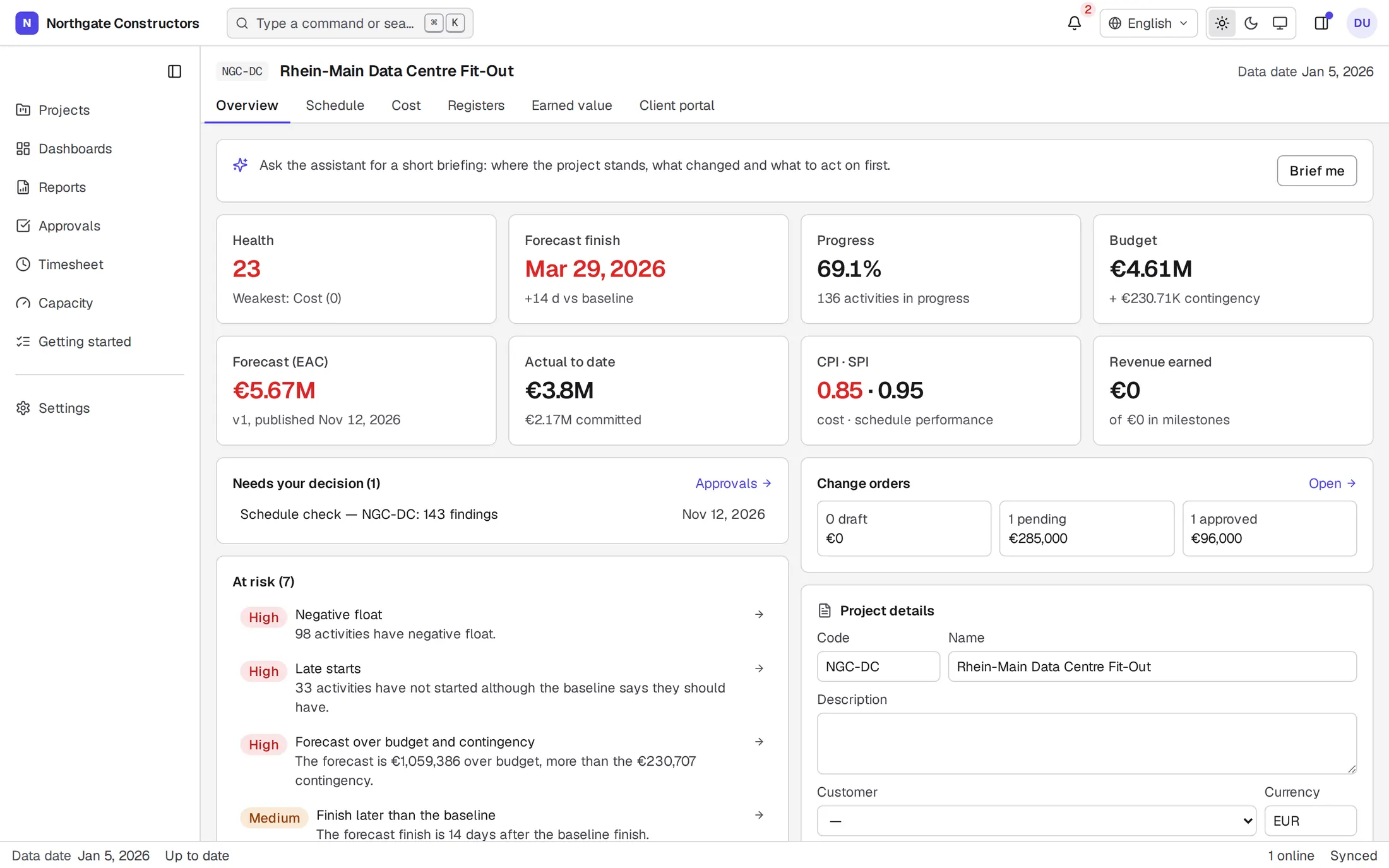
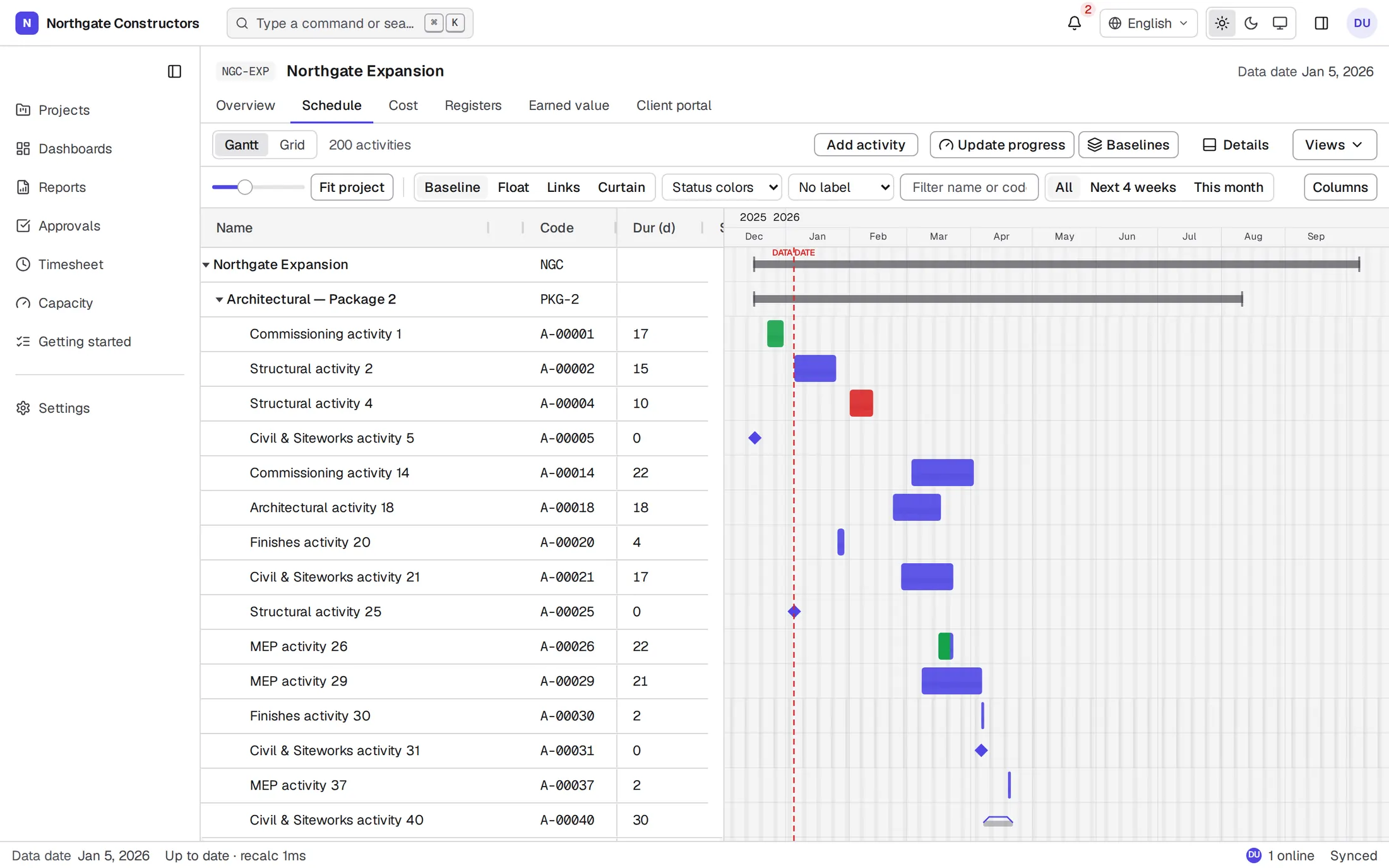
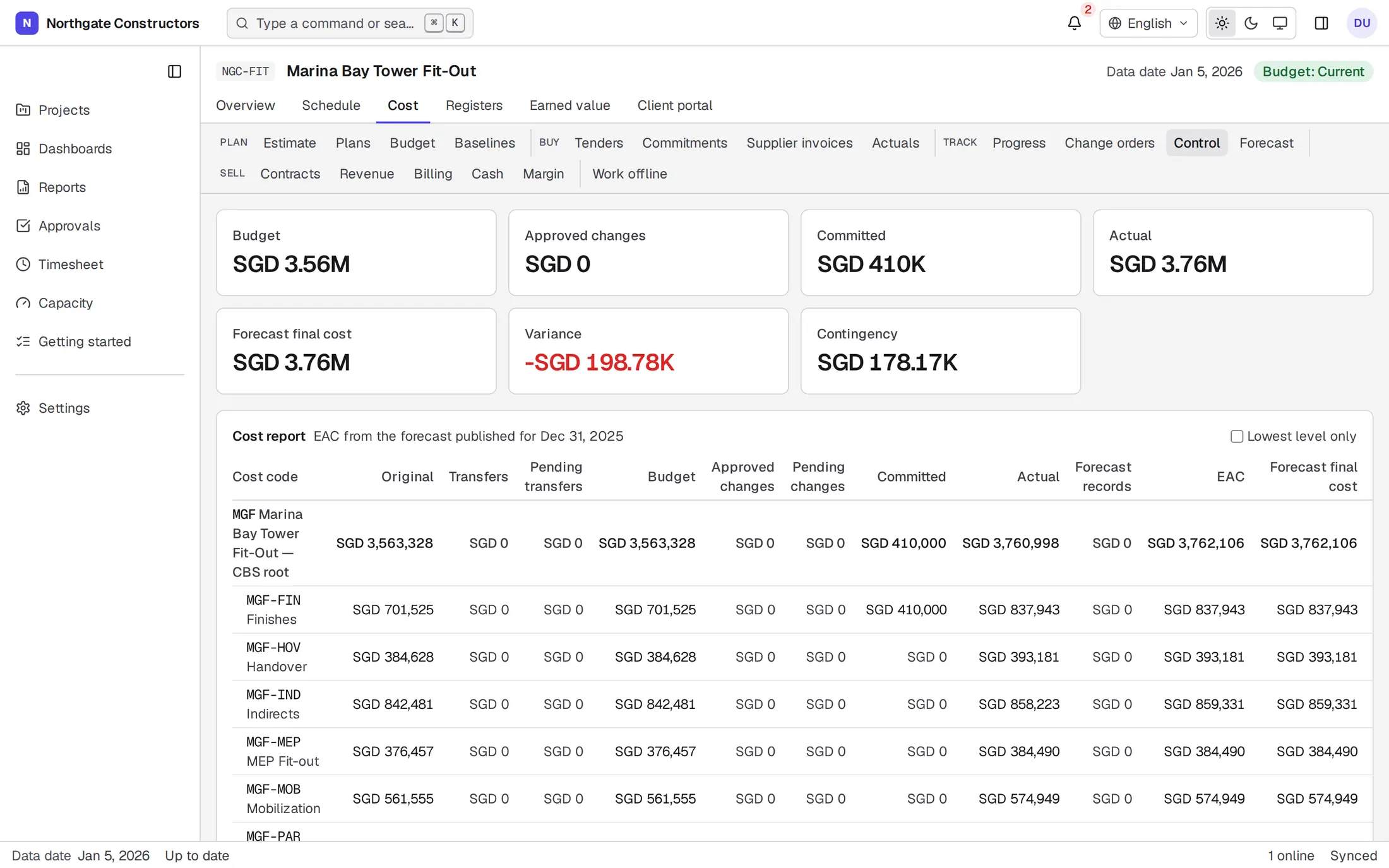
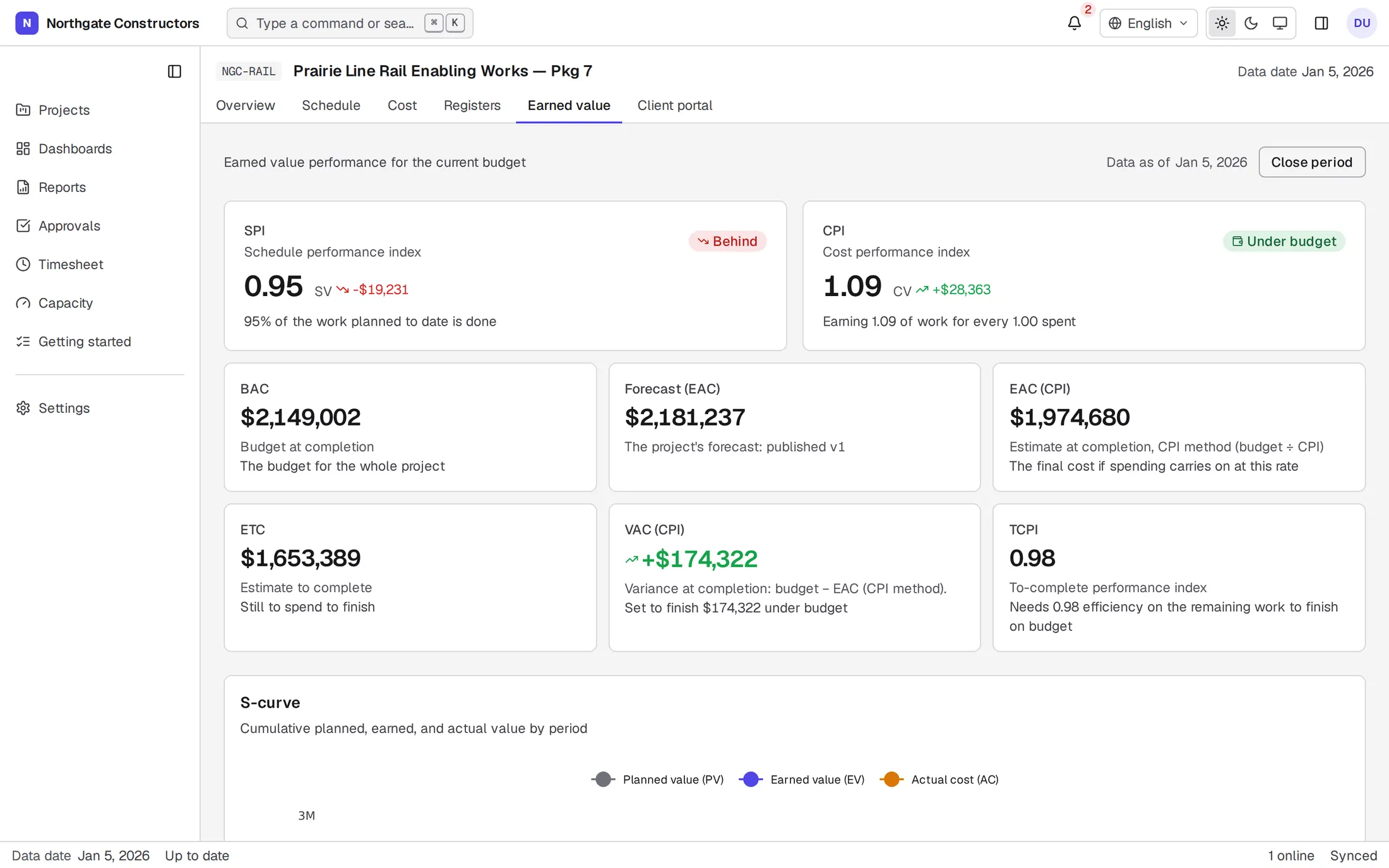
A project's overview in PPM.Cloud: health, forecast finish, progress, budget, forecast at completion, actual cost, cost and schedule indices, decisions waiting and risks

Select a numbered marker to see what that part of the screen does.

What PPM.Cloud is built on

For contractors and project owners in construction, EPC, energy and infrastructure, anywhere in the world.

  • One plan

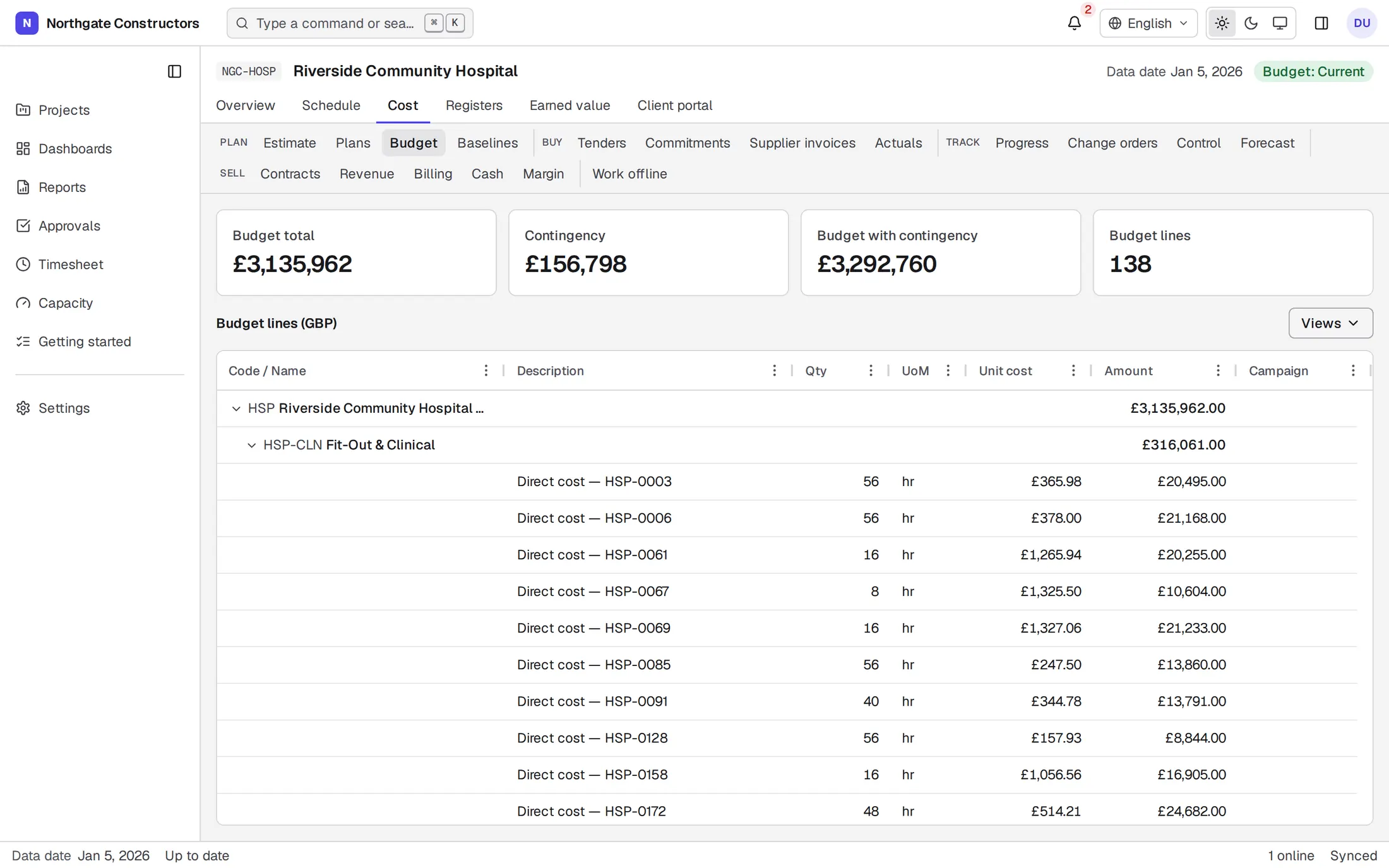
    The approved bid becomes the budget. Nothing is retyped.

  • Primavera P6

    Bring schedules in from XER or Microsoft Project files.

  • Four eyes

    Whoever proposes a change cannot approve it.

  • Six languages

    Arabic right to left, and any currency.

How it works

Five steps. One set of numbers.

Each step starts from the one before. The bid becomes the budget, the budget meets the schedule, and every cost lands against the plan it belongs to.

01 / 05

Price the bid

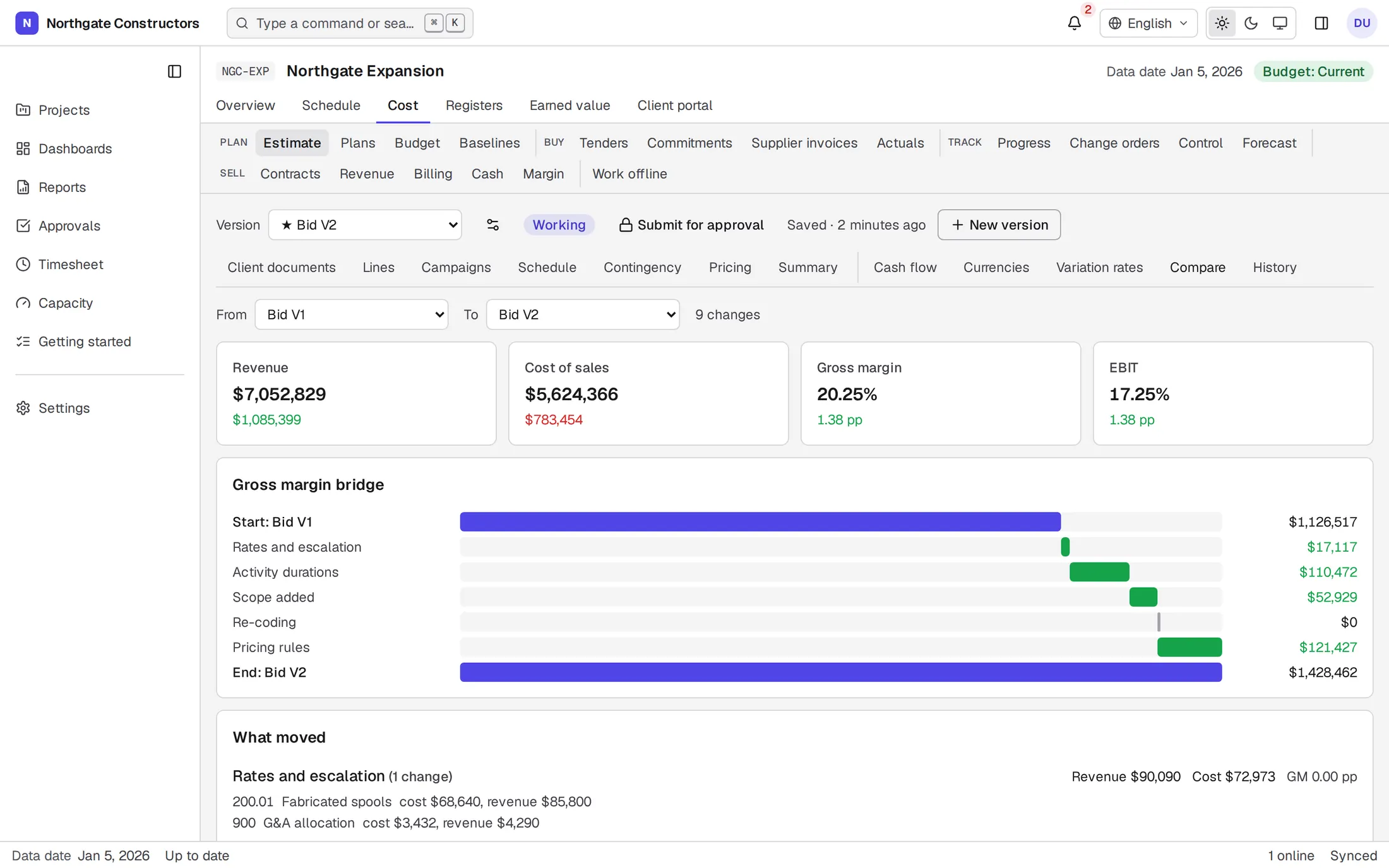
Build the estimate from your rate cards, crews, equipment and campaigns. Compare two versions and see exactly what moved the margin, then submit the bid for approval.

Comparing two versions of a bid: revenue, cost of sales, gross margin and a margin bridge that shows what each change did

Earned value

Try earned value on a sample budget.

Set how much work was planned and done by now, and what it cost. PPM.Cloud reads the indices the same way on your projects.

Budget at completion 2,400,000

Sample project, fictional figures

50% · 1,200,000
42% · 1,008,000
1,152,000 · 48% of the budget
SPISchedule performance
0.84
CPICost performance
0.88
EACForecast at completion
2.74M
BudgetData date
  • Planned value
  • Earned value
  • Actual cost
  • Forecast

What PPM.Cloud says

  • Behind schedule: less work is done than was planned by now.
  • Over budget: the work done has cost more than its budget.

At this cost performance the project would cost 2,742,857: 342,857 over the budget.

The assistant

The assistant drafts. A person decides.

The assistant takes on the routine work of project controls: it checks the schedule, drafts the forecast, writes the variation order and briefs you on where the project stands. It cannot change anything by itself. Each proposal arrives as a card that shows exactly what it would change, and a person approves it.

  • Four eyes, built in

    Whoever proposes a budget, a change or a bid cannot approve it. A second person does, and the card says so.

  • Cards that show the figures

    The amount, the cost accounts, the activities that move and the effect on the finish, before anyone approves.

  • A record of every decision

    Who proposed it, who decided, when, and what it changed.

  • Workflows you configure

    Route change orders and bids to the right role, with deadlines; overdue steps stand out.

How the assistant works

Try it: decide on a card

Viewing as
Demo with fictional data

Proposed by the planner, drafted by the assistant

Waiting for approval

Move the crane mobilisation 3 days later

The crane's delivery slot moved. The activity has 5 days of float, so the finish holds and two days of standby hire are saved.

Start
Mar 9 Mar 12
Project finish
+0 days
Cost
-4,200
A1040 · Crane mobilisationThe activity on a timeline, before and after the change

On site

Progress from the field, on a phone.

Site teams update their activities on a phone, one card per activity, and fill in their week day by day. Approved hours post to the project's actual cost, so the office sees the job as it is.

  • One card per activity

    Percent, quantity or steps, as your rules of credit say, with actual start and finish.

  • Timesheets by the day

    Hours per activity, the day's total and a daily limit that flags long days.

  • Same numbers, everywhere

    A save on the phone moves earned value on the desktop.

Progress on a phone: cards for each activity with percent complete, actual start and finish, and the finish against the baseline
A timesheet on a phone: the line's project and activity, then each day with its hours and total
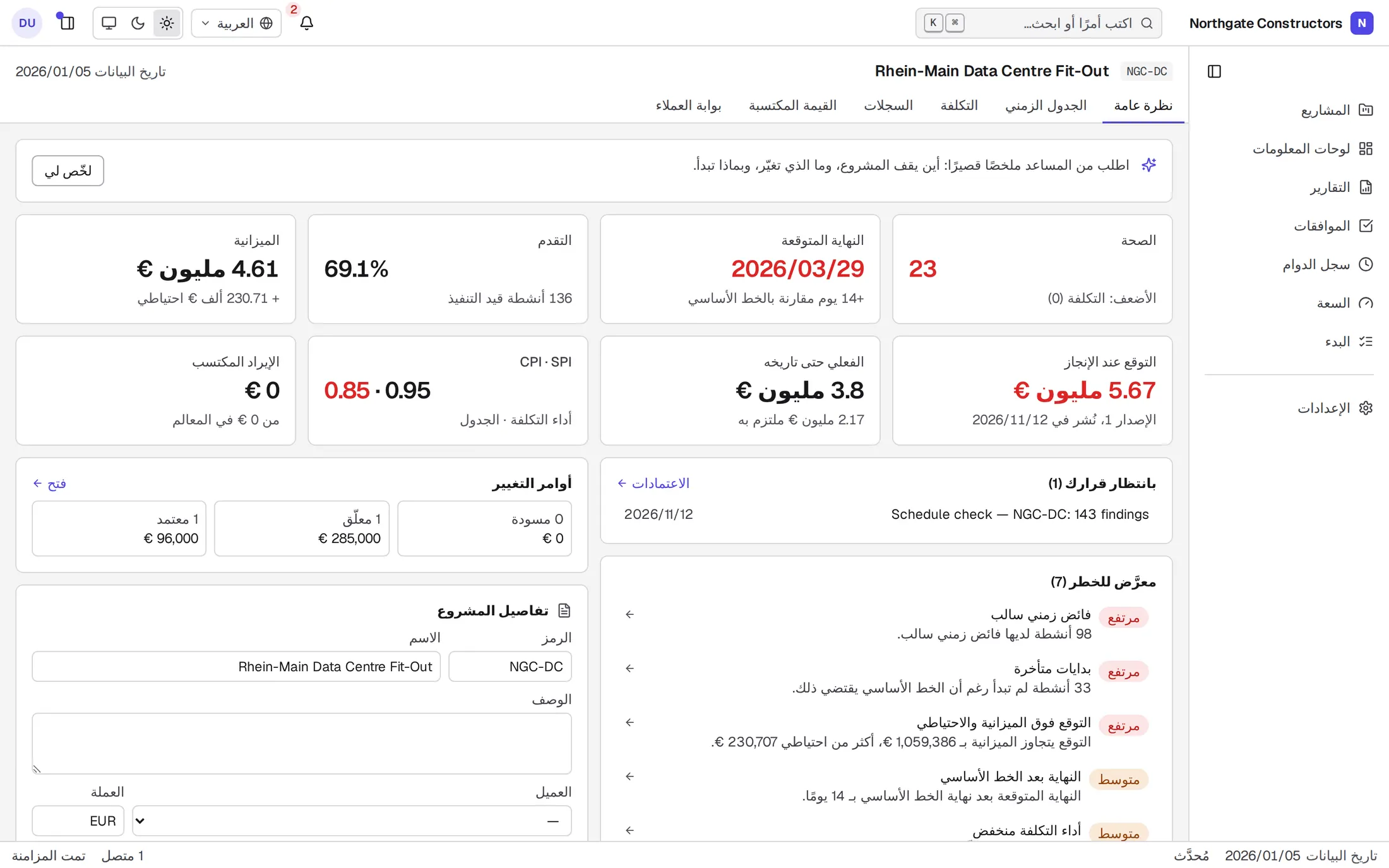
A project's overview in Arabic, laid out right to left
Preview a screen in

مشروع نموذجي · المستودع الشمالي

النهاية المتوقعة

27‏/08‏/2027

التوقع عند الإنجاز

2,553,000

أداء التكلفة 0.94

فوق الميزانية: كلّف العمل المنجز أكثر من ميزانيته.

The layout mirrors for Arabic, and dates and numbers follow the language.

Anywhere

Six languages, any currency, your own terms.

PPM.Cloud works in six languages, with the whole layout mirrored for Arabic. Each project runs in its own currency with dated exchange rates, and each workspace keeps its own cost codes, rate cards and words for things.

  • Six languages

    English, French, German, Spanish, Turkish and Arabic, right to left.

  • Any currency

    Lines, budgets and change orders in their own currency, converted at dated rates.

  • Your words

    Call a campaign a spread or a rollout: the workspace sets the terms.

  • Reports for each reader

    Packs in the reader's language, with an optional second language on the cover.

Industries

For projects that are priced, built and handed over.

Contractors and owners use the same flow, in their own words.

See how PPM.Cloud fits your industry

Questions, answered

What do I get when I start free?

A workspace of your own with a sample project already in it: an estimate, a budget, a schedule under way and its costs. Explore it, then create your own projects or bring in a schedule.

Can I bring my Primavera P6 schedules?

Yes. Create a project from a P6 XER file or a Microsoft Project XML file. Activities, relationships and calendars come across, and the critical path is calculated on the same rules as P6.

Does the assistant change my data?

No. The assistant proposes and a person approves. Its proposals arrive as cards in the approvals inbox, and nothing applies until someone with the right permission approves it.

Can we keep working in Excel?

Yes. Paste lines straight from a spreadsheet into estimates and actual costs, or download a project's data as a workbook, work offline and upload it again. Every row is checked before anything is saved.

Who can see what?

Owners decide who can view, edit or approve, for the whole workspace or project by project. Your client sees only what you share in their portal.

How can I see it before signing up?

Watch the product videos: a short introduction, a full demo from the bid to the forecast, and the estimate in detail.

See it on your own projects.

Start free with the sample project, or watch the walkthroughs first.